
Before we dive into the how-tos of creating secure passwords, it’s important to understand why you need a supersecure password to begin with. After all, you might be thinking, “Who would want to hack my accounts?”
There are a few ways your account passwords can be compromised.
- Someone’s out to get you. There are many people who might want to take a peek into your personal life. If these people know you well, they might be able to guess your e-mail password and use password recovery options to access your other accounts.
- You become the victim of a brute-force attack. Whether a hacker attempts to access a group of user accounts or just yours, brute-force attacks are the go-to strategy for cracking passwords. These attacks work by systematically checking all possible passphrases until the correct one is found. If the hacker already has an idea of the guidelines used to create the password, this process becomes easier to execute.
- There’s a data breach. Every few months it seems another huge company reports a hacking resulting in millions of people’s account information being compromised. And with the recent Heartbleed bug, many popular websites were affected directly.
What makes a good password?
Although data breaches are out of your control, it’s still imperative to create passwords that can withstand brute-force attacks and relentless frenemies. Avoiding both types of attacks is dependent on the complexity of your password.
Ideally, each of your passwords would be at least 16 characters, and contain a combination of numbers, symbols, uppercase letters, lowercase letters, and spaces. The password would be free of repetition, dictionary words, usernames, pronouns, IDs, and any other predefined number or letter sequences.
The security-savvy community evaluates password strength in terms of “bits,” where the higher the bits, the stronger the password. An 80-bit password is more secure than a 30-bit password, and has a complex combination of the aforementioned characters. As a result, an 80-bit password would take years longer to crack than a 30-bit password.
Ideal passwords, however, are a huge inconvenience. How can we be expected to remember 80-bit (12-character) passwords for each of our various Web accounts? That’s where many people turn to password managers like LastPass, Dashlane and 1Password.
Creating secure passwords
In his guide to mastering the art of passwords, Dennis O’Reilly suggests creating a system that both allows you to create complex passwords and remember them.
For example, create a phrase like “I hope the Giants will win the World Series in 2016!” Then, take the initials of each word and all numbers and symbols to create your password. So, that phrase would result in this: IhtGwwtWSi2016!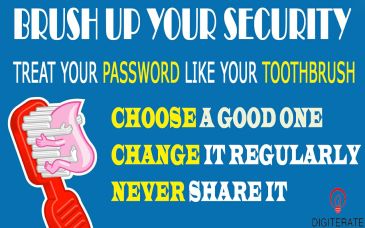
The next option is to use a password generator, which come in the form of offline programs and Web sites. Many password managers like LastPass or Dashlane also have built in password generator tools.
Microsoft offers its own online strength checker, and promises that the form is completely secure. Mac users can use the built-in Password Assistant to check their passwords’ security.
Enable two-step-verification
Any time a service like Facebook or Gmail offers “two-step verification,” use it. When enabled, signing in will require you to also enter in a code that’s sent as a text message to your phone. Meaning, a hacker who isn’t in possession of your phone won’t be able to sign in, even if they know your password.
You only have to do this once for “recognized” computers and devices.
 digiterate